


Sticker GO!
3.97.28K Reviews
App Specs
- Version
- 6.4
- Updated On
- License
- Free
- Downloads
- 5,000,000+
- Developer
- Ganko
- Categories
- Board
- Platform
- Android, iOS
Screenshots
 Analysis by AppCompare
Sticker GO! is a focused companion for people who enjoy Monopoly GO! but want a more deliberate way to work on their sticker album. I like that its purpose is easy to understand: it centers the routine of checking album progress and earning dice day by day, rather than trying to replace the board game itself. That narrow focus is useful, though it also means this is not the right download if you are looking for a general sticker-making or messaging app.
A companion, not another board game
The distinction matters before you install it. This is a board-game companion from developer Ganko, built around Monopoly GO! album completion. It does not offer the usual experience of playing a standalone board game inside the app; its appeal is tied to keeping up with a separate game. I would think of it as a small organizational stop in a larger hobby, not as a replacement for time spent rolling dice and moving around the Monopoly GO! board.
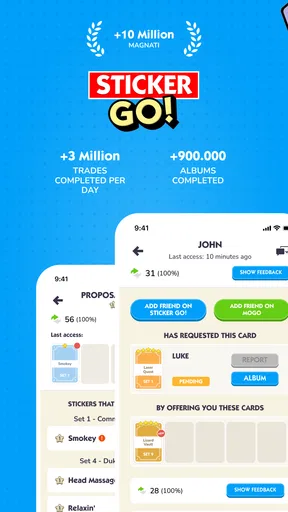
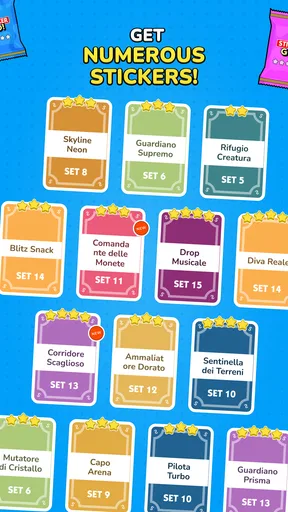
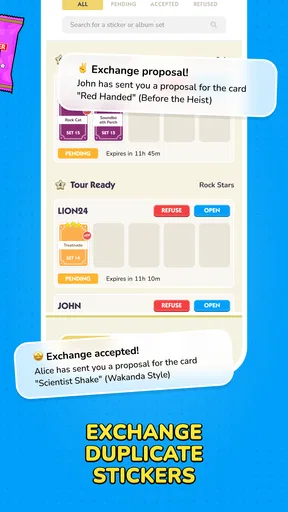
That makes it most useful when you already care about collecting stickers. If you are trying to finish an album, a dedicated place to check what remains can make the goal feel less vague. Instead of relying on memory or scrolling through old messages, you can make the collection task part of a short daily routine. If you do not play Monopoly GO!, or you have stopped caring about its albums, the central reason to use this app largely disappears.
Why the daily routine can work
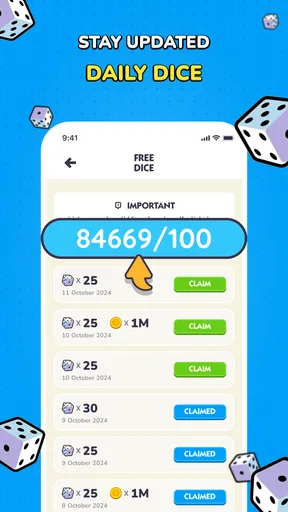
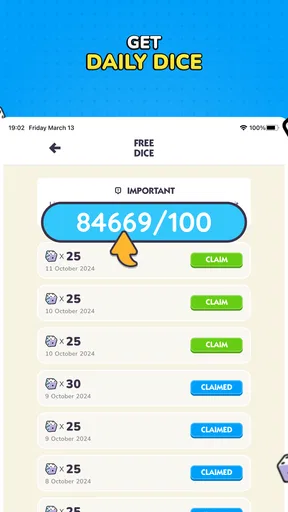
The promise of earning dice every day gives the album task a regular rhythm. I find that more appealing than treating sticker collecting as something to remember only when a friend brings it up. A quick check-in can help you decide whether you want to keep pursuing missing pieces or simply leave the album alone for a while. It is a modest benefit, but a clear one for players who enjoy having a small objective to return to.
For example, imagine checking in during a lunch break before opening Monopoly GO! later in the evening. You can use that moment to review what you are working toward, then decide whether it is worth spending more time on the album today. The practical tip is to keep the check-in brief: decide on one next step and move on, rather than letting a collection goal turn into an all-day distraction. That approach keeps the companion useful without making it feel like another obligation.
The app is free to download and is rated for Everyone. It has a 4.0 average from around 59,000 ratings, with over five million installs, which suggests that many players have found a reason to try it. Those figures are useful context, but they do not tell me whether the routine will suit you; that depends on how much you enjoy album collecting in Monopoly GO! in the first place.
What it does better than improvising
Compared with the usual alternative of tracking a collection in your head, in notes, or through scattered conversations, a purpose-built companion can keep attention on the album itself. That is the strongest case for using it: you can return to one place rather than reconstructing your plans from memory. It is especially helpful if you tend to dip in and out of the main game and want a simple reminder of what you are trying to complete.
Worth Reading Before You Choose

EA SPORTS FC Mobile 26 Is a Bigger Football Game, but It Takes Time

Flipboard Shows What News Apps Must Do Beyond the Feed

Switching to Android Auto Means Rethinking Your Driving Routine

Google Calendar Makes a Crowded Week Easier to Manage

Ludo King Makes the Most of the Minutes Between Plans

Baby Panda World Brings Quick Play to Modern Phones, but Its Game Library Feels Busy
There is a trade-off, though. A dedicated companion is only valuable if you are comfortable adding one more step to your gaming routine. If your album is already easy to manage in Monopoly GO!, or you prefer to keep all game-related activity inside the main app, a separate tool may feel unnecessary. Likewise, players who prefer spontaneous play over tracking completion may get more enjoyment from ignoring the checklist mentality and simply playing when they feel like it.
Sticker GO! is not a broad alternative to other board games, either. Traditional board-game apps offer their own matches and rules, while this app supports a particular collecting goal connected to Monopoly GO!. I would choose a regular board-game app if I wanted a self-contained game to play with someone; I would choose this one only if album progress and the daily dice routine are already part of my interests.
Small habits that make it more useful
A useful way to approach any album companion is to set a stopping point before you open it. Decide whether you are checking progress, planning your next play session, or simply collecting the daily benefit, then close it once that task is done. This avoids confusing activity with progress: spending more time looking at a collection does not necessarily make the album easier to finish.
I would also treat the daily reward as a bonus rather than a guarantee of a completed album. The app’s purpose is connected to earning dice and album progress, but collecting remains a longer-term pursuit. A practical mindset is to focus on the pieces you can work toward and accept that some days will not move the collection forward much. That keeps the experience satisfying instead of turning every session into a test of whether you have finished.
Another trade-off is attention. A daily prompt can help players remember a goal they genuinely enjoy, but it can also make a casual game feel like a routine they must maintain. If you notice yourself opening the app out of obligation, take a break and return when the album feels fun again. This is a companion for a hobby, not a reason to make that hobby more demanding.
Cost, compatibility, and expectations
The download is free, while optional in-app purchases range from $1.99 to $24.99 per item. I would start with the free experience and decide whether the app’s routine is genuinely helping before spending anything. Paying makes little sense if you are only curious or play Monopoly GO! occasionally; the value depends on whether the extra convenience matters to your own album habits.
Version 5.0.200 supports devices running Android 6.0 or later. If you are deciding whether an older Android device can run it, that minimum is the practical detail to check before downloading. The game was released on February 8, 2024, and its Everyone age rating makes it broadly suitable from a content-rating standpoint, though a parent should still decide whether the connected game and any optional purchases fit their household.
A natural question is whether this is useful without playing Monopoly GO!. In my view, not really: the album-focused purpose is the point, so a person who does not play the main game is unlikely to get much from it. Another is whether paying is necessary. It is not necessary to try the free download, and I would only consider an optional purchase after deciding that the companion has become part of a routine I actually value.
Who should give it a try
I would recommend Sticker GO! to regular Monopoly GO! players who like collecting, enjoy having a clear album goal, and appreciate a daily reason to check in. It may also suit people who forget where they left off and want a more organized way to think about progress. The best fit is someone who sees tracking as part of the fun rather than as homework.
I would skip it if you want a standalone board game, a broad collection of games, or a general-purpose sticker editor for chats. It is also easy to pass on if you are happy managing your album informally or no longer care about completing it. In those situations, the main game itself—or no companion app at all—is likely the simpler choice.
Have you ever found yourself in a group chat, thinking, "Man, this conversation could really use a fun sticker to spice things up"? Enter Sticker GO!, an app that’s here to take your messaging game to the next level. I've been playing around with it for a bit, and let me tell you, it's a blast!
Getting Started with Sticker GO!
First things first, downloading Sticker GO! is a breeze. Available on both Android and iOS, the app is super lightweight, so it won’t hog your phone’s storage. Setting it up is straightforward. Once you've got it installed, you're greeted with a colorful and intuitive interface that invites you to dive right into the world of stickers.
Endless Sticker Options
The app boasts a massive collection of stickers. Seriously, whether you're into cute animals, pop culture references, or quirky emojis, you'll find something that tickles your fancy. I spent a good chunk of my morning just browsing through the different categories. It's like a sticker wonderland!
The neat thing is, the app is constantly updating its library with new content. So, if you start feeling like you've seen it all, just hang tight. There’s always something fresh on the horizon.
Customization Galore
One of the standout features of Sticker GO! is the ability to create your own stickers. Got a photo of your pet doing something hilarious? Turn it into a sticker! The editing tools are surprisingly robust, letting you crop, adjust, and add funny captions. I spent way too long turning a picture of my cat into a sticker masterpiece.
Integration with Messaging Apps
Now, what's a sticker app if it doesn't play nice with your favorite messaging platforms? Luckily, Sticker GO! integrates seamlessly with apps like WhatsApp, Messenger, and Telegram. Adding stickers to your chats is as easy as pie. Just a few taps, and your conversation is instantly livened up!
User Experience and Interface
The user experience is smooth as butter. Everything is where you’d expect it to be, and navigation is a cinch. Plus, the app’s design is vibrant and engaging, making the sticker browsing process feel like a fun adventure rather than a chore.
One thing I really appreciate is the app's responsiveness. Even when I was browsing through hundreds of stickers, the app kept up without a hitch. No lagging, no freezing, just pure sticker bliss.
Free vs. Premium
While Sticker GO! offers plenty of free content, there’s also a premium tier that unlocks even more goodies. If you’re a sticker aficionado, you might find the premium subscription worth it. It gives you access to exclusive sticker packs and additional customization options. For me, the free version was more than enough to keep me entertained.
Final Thoughts
All in all, Sticker GO! is a delightful app that brings a splash of creativity and fun to your messaging experience. Whether you’re a casual user or a sticker fanatic, there's something here for everyone. The customization options are a huge plus, and the seamless integration with messaging apps makes it super convenient to use.
If you're looking to inject some personality into your chats, give Sticker GO! a whirl. Trust me; your group chats will never be the same again!
Pros
- Wide variety of stickers available.
- Easy-to-use interface for all ages.
- Allows custom sticker creation.
- Integrates smoothly with messaging apps.
- Regular updates with new sticker packs.
Cons
- Some features require in-app purchases.
- Occasional ads can be intrusive.
- Limited free sticker selections.
- Custom creation tools are basic.
- Requires internet for some features.
FAQs for Sticker GO!
What is Sticker GO! and what can I do with it?
Sticker GO! is a mobile application designed for creating and sharing custom stickers. Users can design their own stickers using a variety of tools and templates, then share them across social media platforms or messaging apps. It offers a fun and creative way to express yourself in chats and posts.
Is Sticker GO! free to download and use?
Sticker GO! is free to download on both Android and iOS devices. While many features are accessible without cost, the app may offer in-app purchases or subscriptions for premium tools and exclusive sticker packs. These can enhance your creative options but are optional for basic use.
Does Sticker GO! require an internet connection to work?
Sticker GO! primarily functions offline for creating and editing stickers. However, an internet connection is necessary for downloading new sticker packs, accessing premium features, and sharing your creations on social media or messaging platforms. Ensure you have a stable connection for these activities.
Are there any privacy concerns with using Sticker GO!?
Sticker GO! requires access to your device’s storage to save and share stickers. It might also request permission to access your contacts for easier sharing. The app should comply with privacy regulations, but it’s always advisable to review its privacy policy to understand how your data is handled.
Can I use Sticker GO! on multiple devices?
Sticker GO! can be installed on multiple devices, but your creations may not automatically sync across them unless the app offers a cloud-sync feature. Check if it allows account login or linking to cloud storage services to ensure access to your stickers from any device.


